Garmin.com eCommerce
With significant back-end restrains and a large volume of complex content created inconsistently across 6 business verticals, users needed to locate one specific feature as quickly as possible. I created a streamlined, easy-to-navigate experience for this Garmin.com B2C product that directed users to the features that informed their Garmin.com purchases and drove sales through the eCommerce flow, while creating consistency across all business verticals and leveraging existing Design System components.
The Problem
This B2C product needed to clearly house highly-technical, complex content from all 6 of Garmin’s business verticals (Automotive, Aviation, Fitness, Marine, Outdoor, Wellness) that was provided inconsistently from 6 different product teams. In addition, it needed to roll out the door on an expedited timeline, so it had to be built using existing components and minimal development resources. Users needed to be able to find whatever one particular feature from one specific business vertical they were looking for while shopping, and the current navigation components did not lend themselves to clear navigation of such a complex flow. This product needed to provide the exact information the user was looking for while fitting itself into the eCommerce purchase journey as quickly and painlessly as possible. It also served to off-set marketing pages that required short, catchy messaging and could not adequately house this complex information, which was an imperative step in the shopping flow.
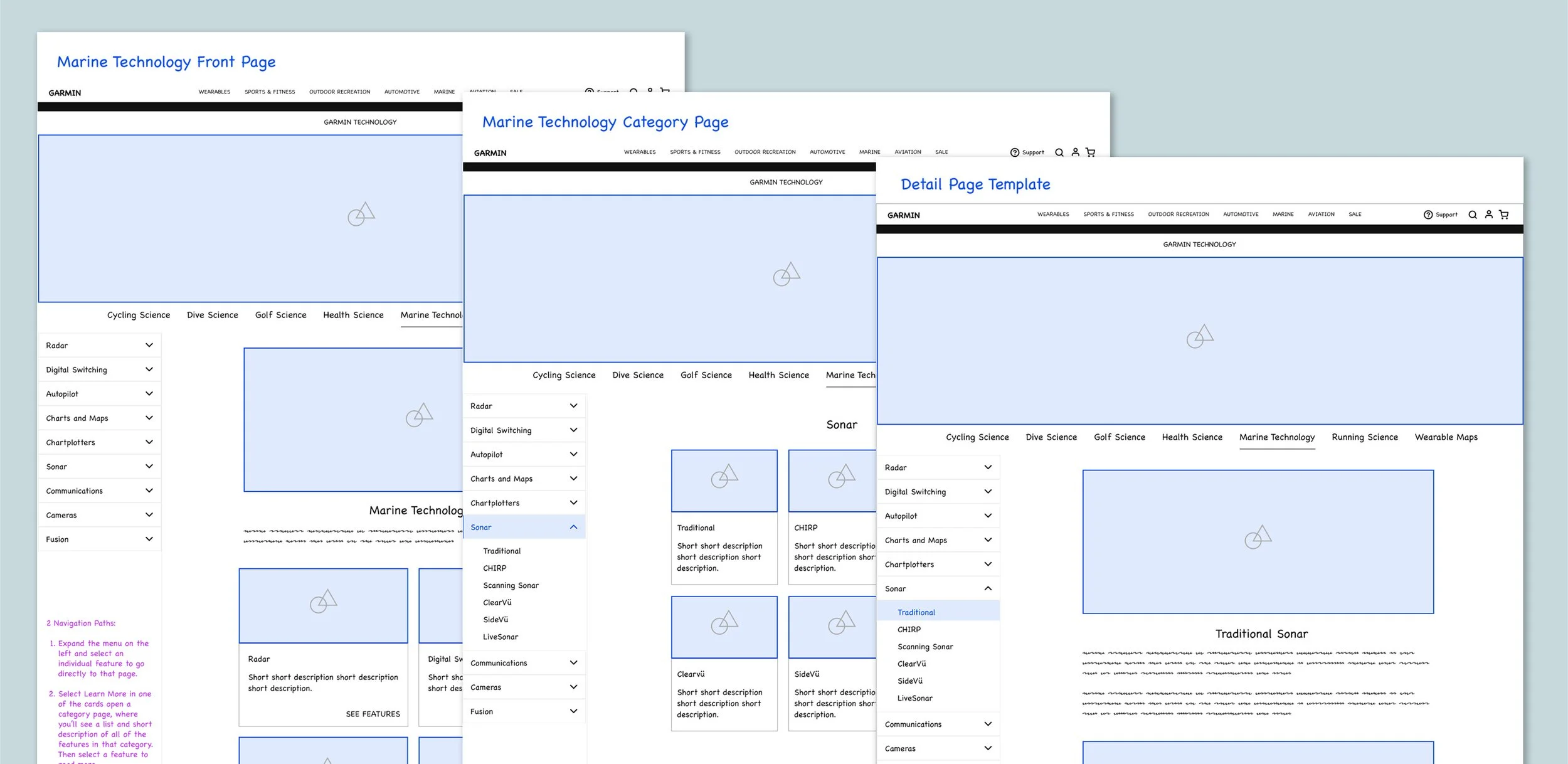
Low-fidelity wireframes
The Impact
Garmin Technology drove sales in the eCommerce flow by providing users specific, easy-to-locate information about the products they were shopping for while keeping them in the purchase funnel and providing a quick journey to checkout. The successful streamlined navigation and content organization created valuable patterns that were scaled for future product needs. The setup with Design System components and minimal development effort enabled content teams to quickly update the product with each major Garmin release, significantly saving team resources to maintain the product.
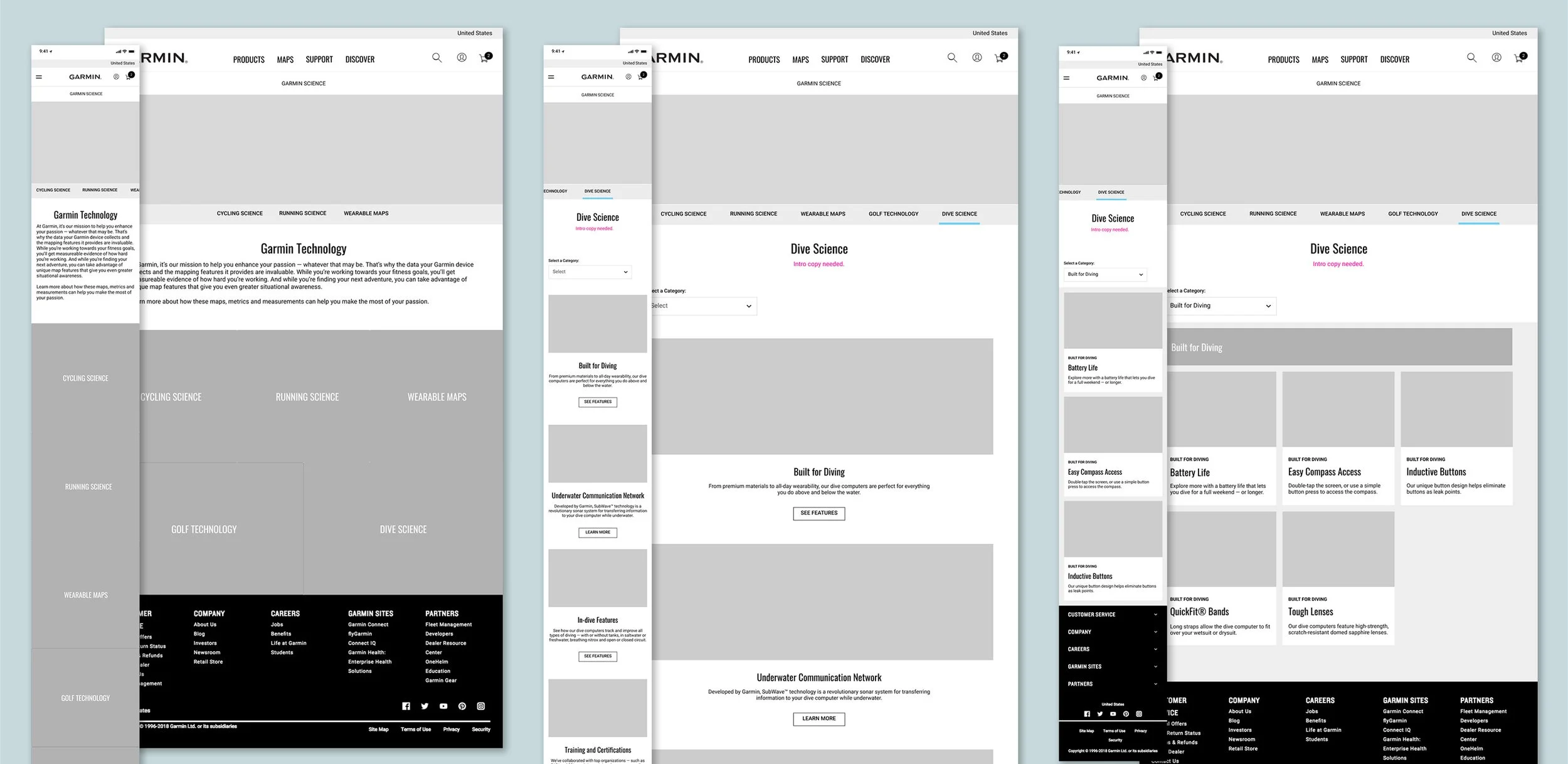
Low-fidelity mockups in design iteration phase
The Process
I utilized existing Design System components and quickly spotted easy enhancements that could be made to streamline navigation with minimal development resources. I served as the hub for implementing feedback from 6 product teams from 6 business verticals to weave each team’s unique needs and goals into one seamless experience for users. I also drove cross-collaboration with architects, creative, development, marketing, and content. I created unique navigation solutions for multiple types of users including browsers as well as those looking for specific information. I integrated the product into the broader eCommerce flow by analyzing the flow as a whole and providing multiple entry points.
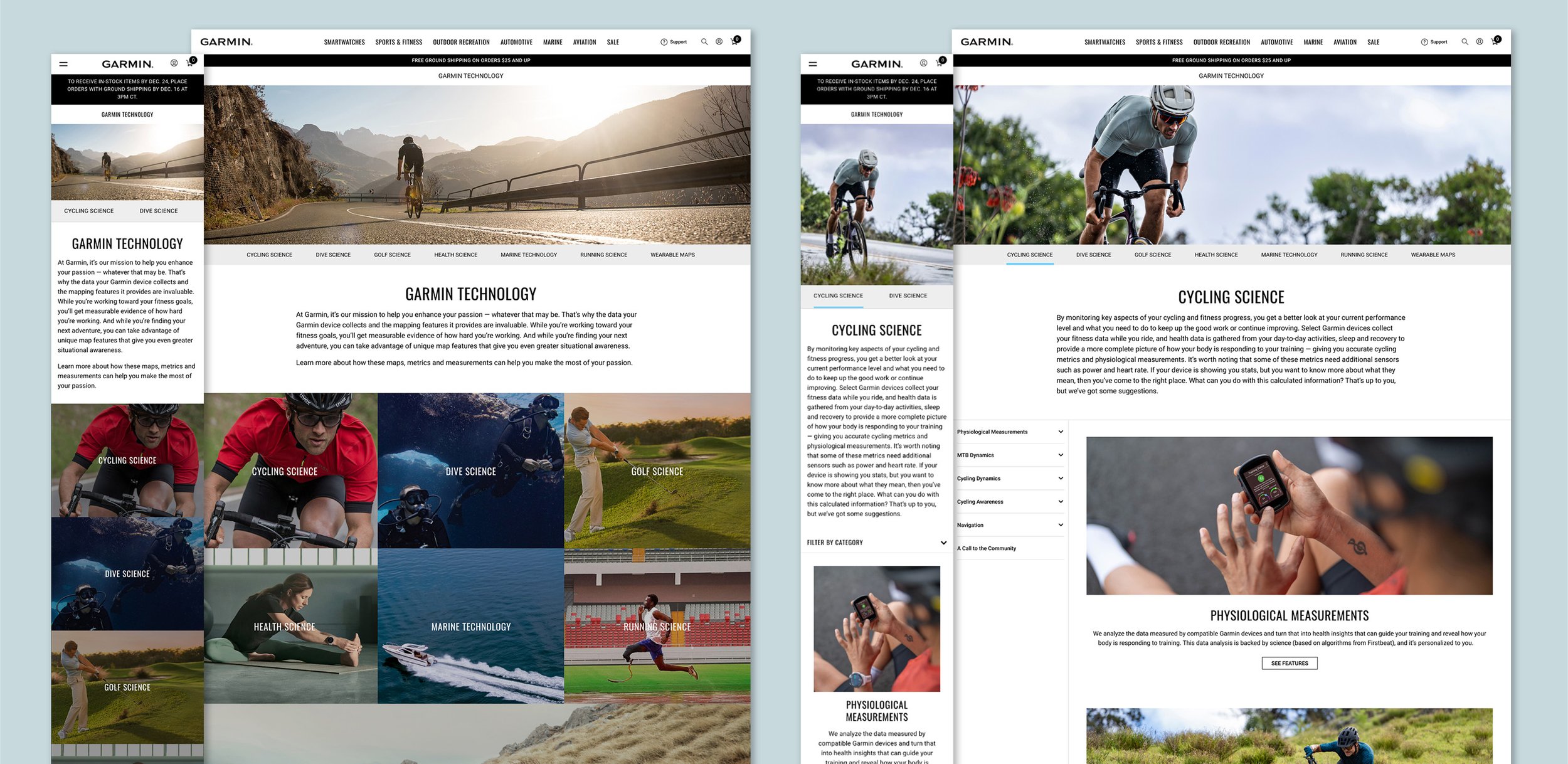
Final high-fidelity mockups
My Role
As Senior/Lead Product Designer, I created wireframes, mockups, user flows in quick iterations through multiple rounds of feedback from many teams, including the 6 different product teams, marketing, and creative. I provided detailed requirements, specs, and visuals to development teams to enhance components. I also provided detailed hand-off to content authors to make the set-up and future maintenance of the product as efficient as possible. As the owner of the Design system, I created visuals, documentation, and education for the enhancements made to the components. Last, I collaborated with international teams for to organize the translation and localization of the product across 35 countries and languages.
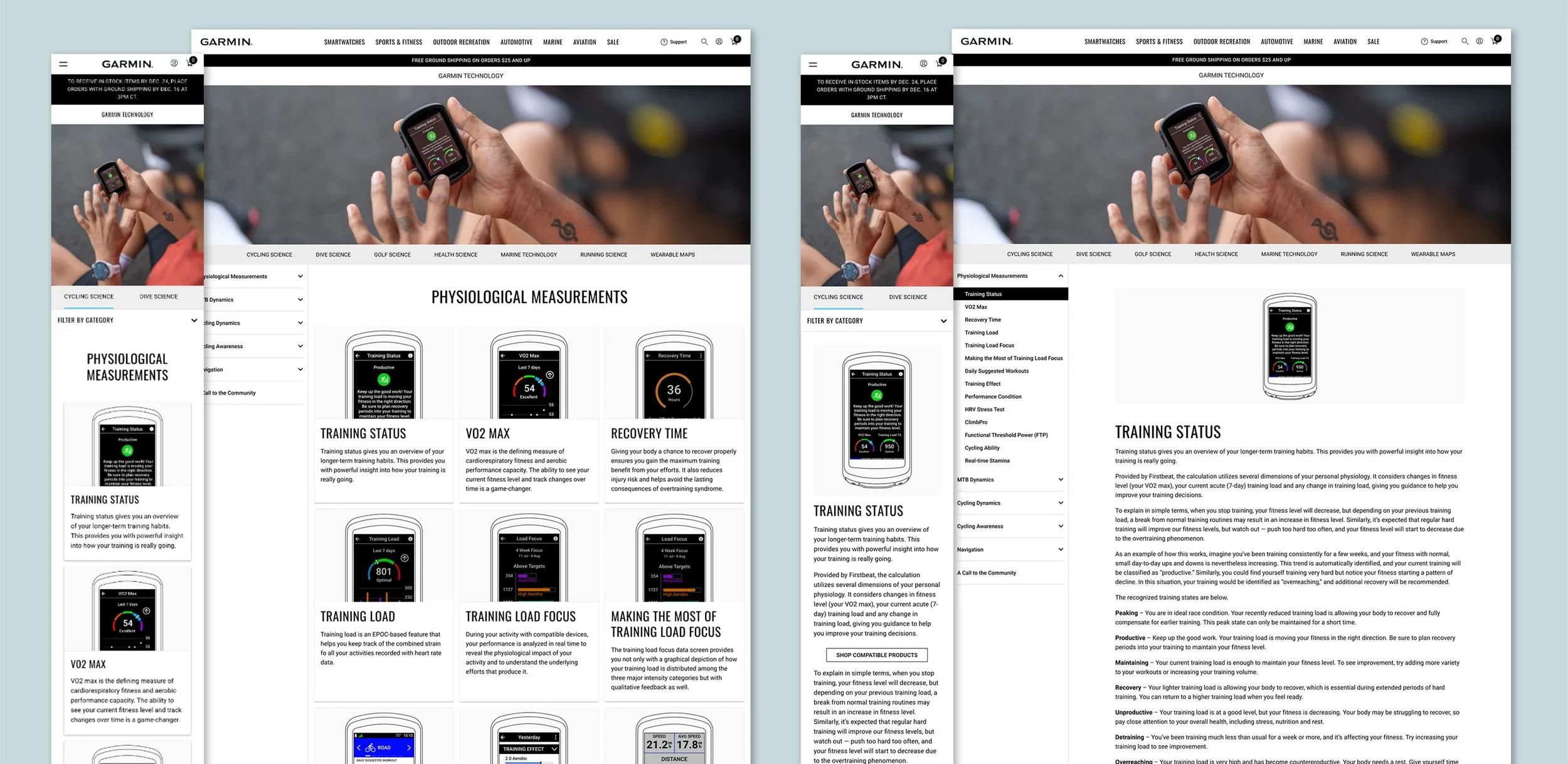
Final high-fidelity mockups
Design System Integration
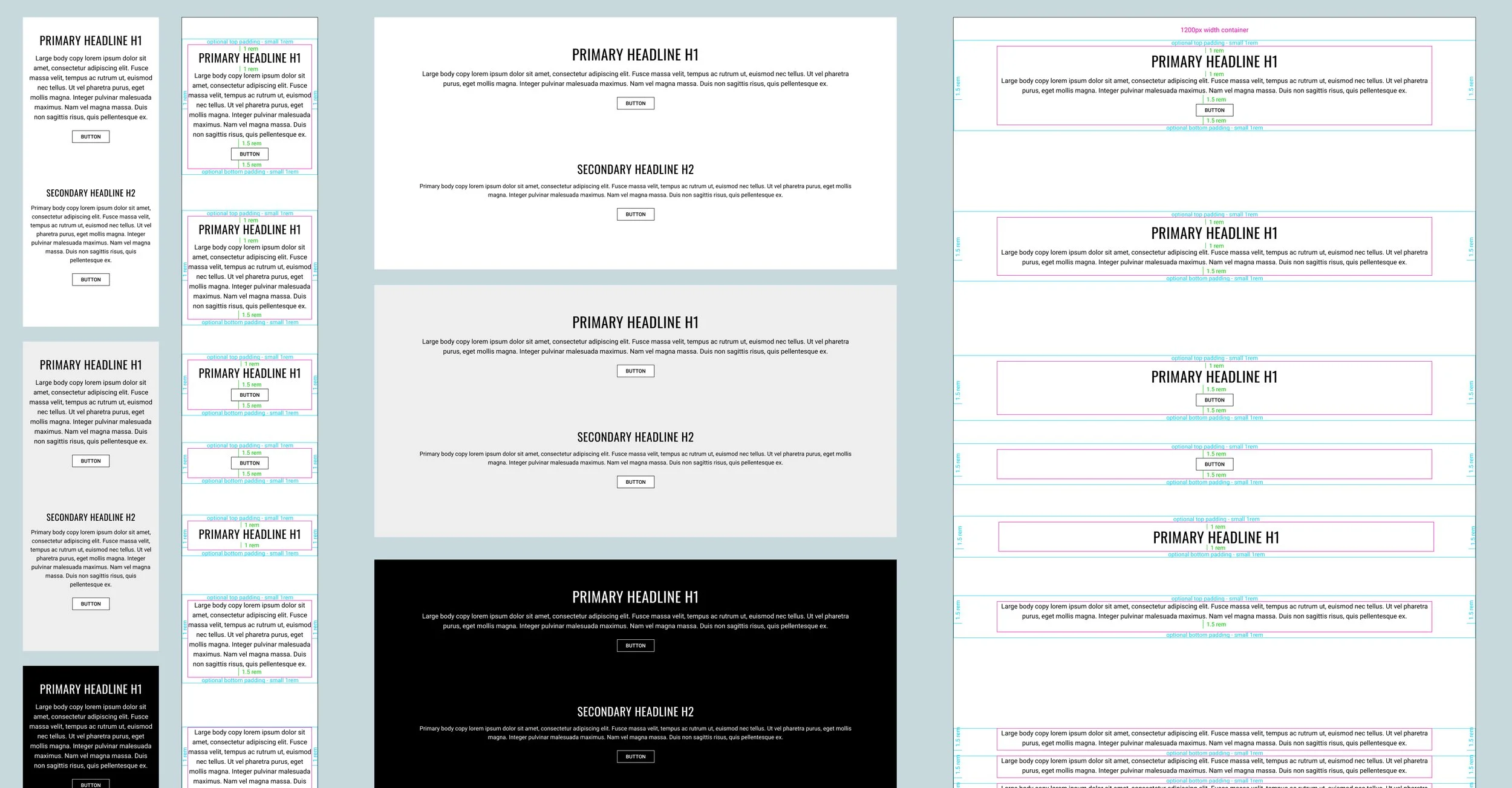
I utilized existing global Design System components wherever possible for this product. To solve the specific problems of this product, I enhanced several components with minimal development resources.
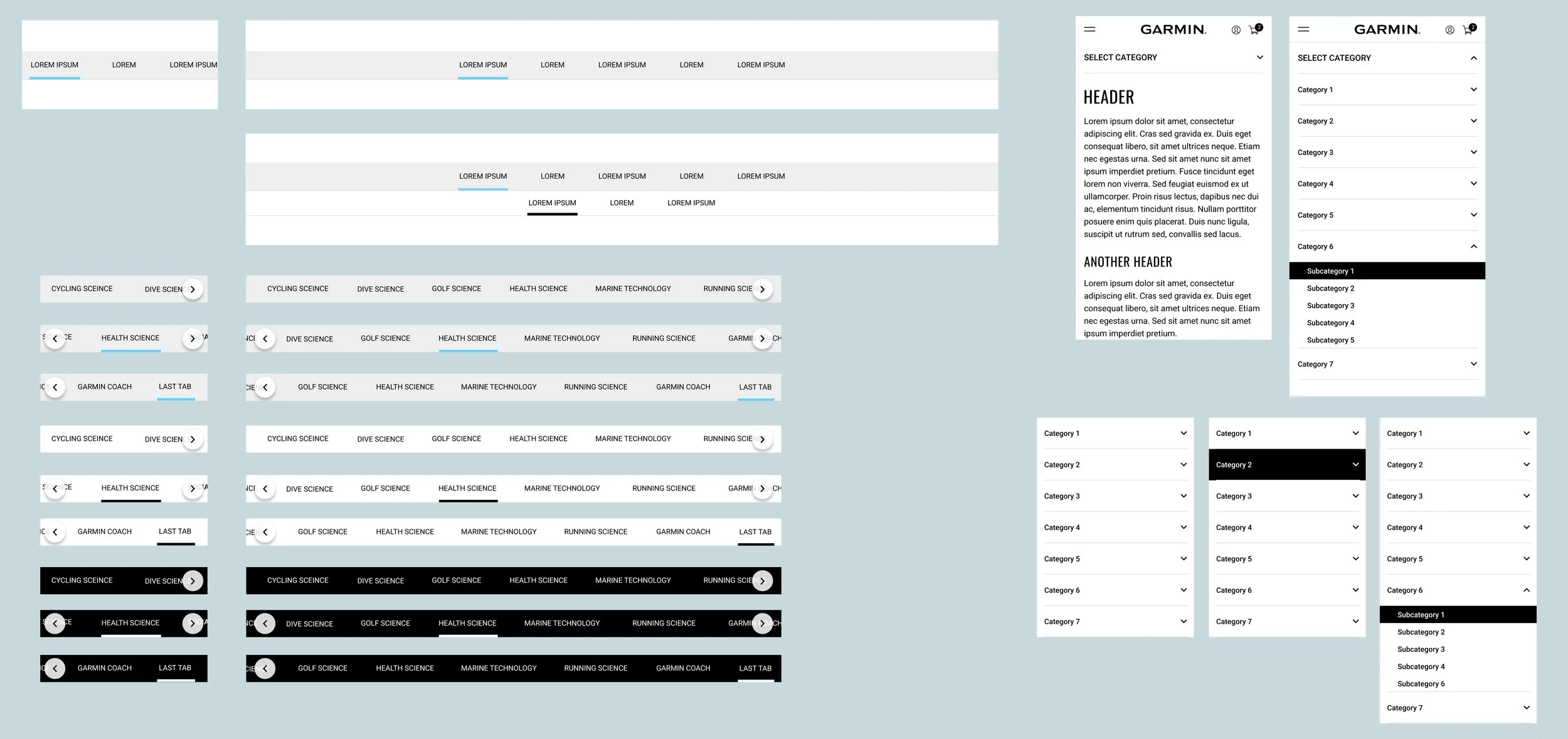
Sub-navigation and Vertical Navigation Components: The sub-navigation and vertical navigation components were enhanced to include more functionality to support the complex navigation needs of Garmin Technology. This use case fueled the updates to the global Design System component to be used across other products.
Card Component: The card component was enhanced with several additional variations, colorways, states, and functionality to accommodate Garmin Technology’s complex needs, including all layout variations of the card grid to accommodate the desktop side nav. This resulted in a much more robust and versatile global card component.
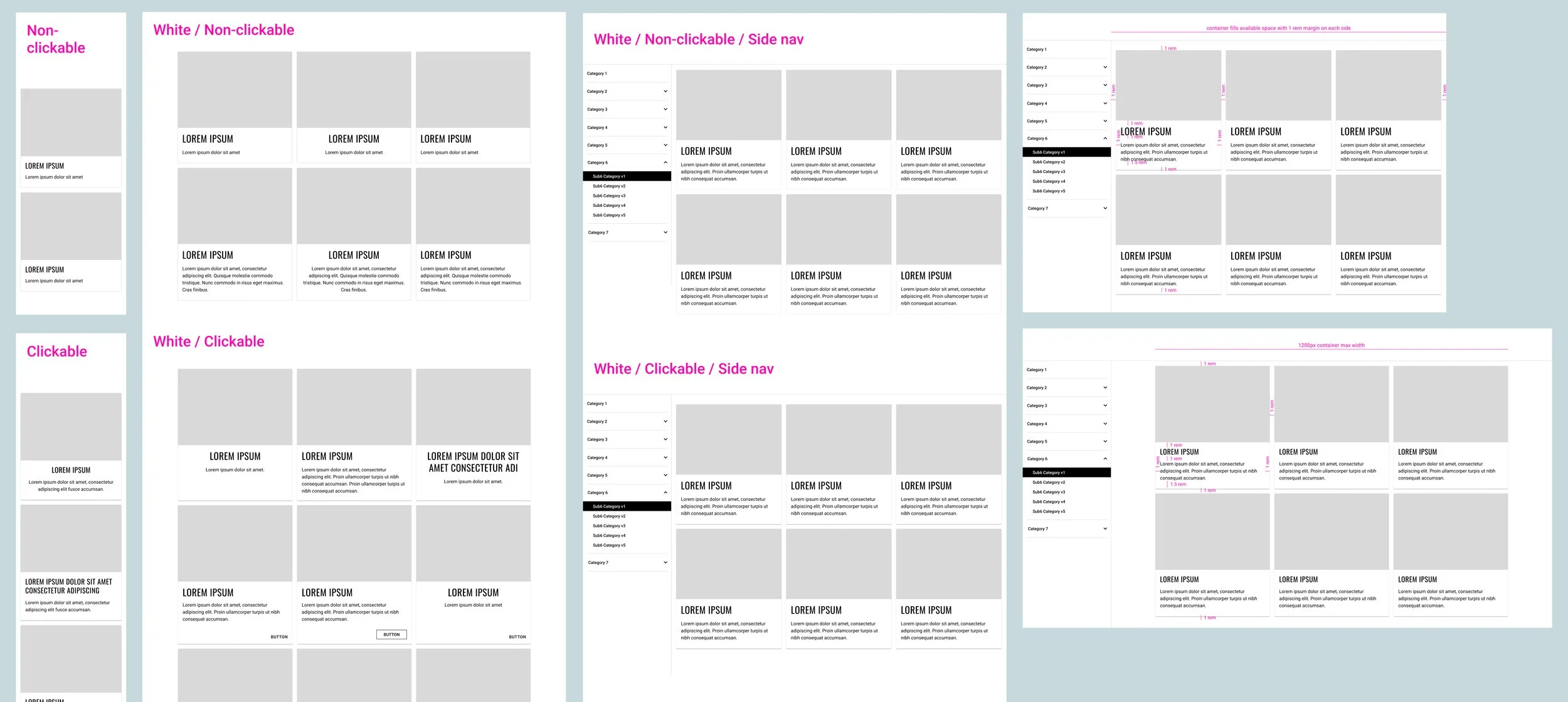
Base Container Component: The base container component was enhanced to allow for additional functionality and variations within the already well-established grid system to allow the complex navigation within Garmin Technology to flow seamlessly into the existing spacing and responsive structure throughout Garmin.com.